

Shipping Methods Integration
How to integrate shipping methods in SFCC
The shipping methods displayed on the ESW checkout depend on the ESW Override Shipping custom preference in the ESW Checkout Configuration.
- When ESW Override Shipping is enabled for a specific country:
- ESW shipping methods are overridden with standard SFCC shipping methods.
- The shipping method overrides are sent to ESW via the Checkout API.
- The SFCC shipping methods are displayed during checkout.
- When ESW Override Shipping is disabled for a specific country:
- Shipping methods are retrieved from the ESW tenant configuration.
- These ESW shipping methods are displayed during checkout.
Displaying the SFCC Shipping Methods
Standard SFCC shipping methods are created with a specific currency. In the custom site preference, each shipping method ID is mapped to a specific country.
Steps
Create Shipping Methods
- Navigate to Merchant Tools → Ordering → Shipping Methods
- Create shipping methods with:
- Shipping names
- Types for currencies available to shoppers in the storefront
- Ensure each shipping method’s name and type are supported by ESW.
Example
Name and Type of each shipping method must be supported by ESW.
POSTfor standard shippingEXP2for express shipping
The shipping method names must be either
POST or EXP2. This naming rule is required by ESW. However, the ID can be any value. Configuring POST, EXP2, or any one of these two options for different currencies depends on the retailer’s business requirement.Configure Shipping Method IDs for the country
Configure the IDs in a JSON format using the ESW Override Shipping custom site preference in ESW Checkout Configuration.
Display ESW shipping override methods
- To display ESW shipping override methods on the cart page:
- Enable custom preference ESW Hide Native Shipping in ESW Retailer Display Configuration
Once configured, the shipping methods are displayed at the checkout for the country.
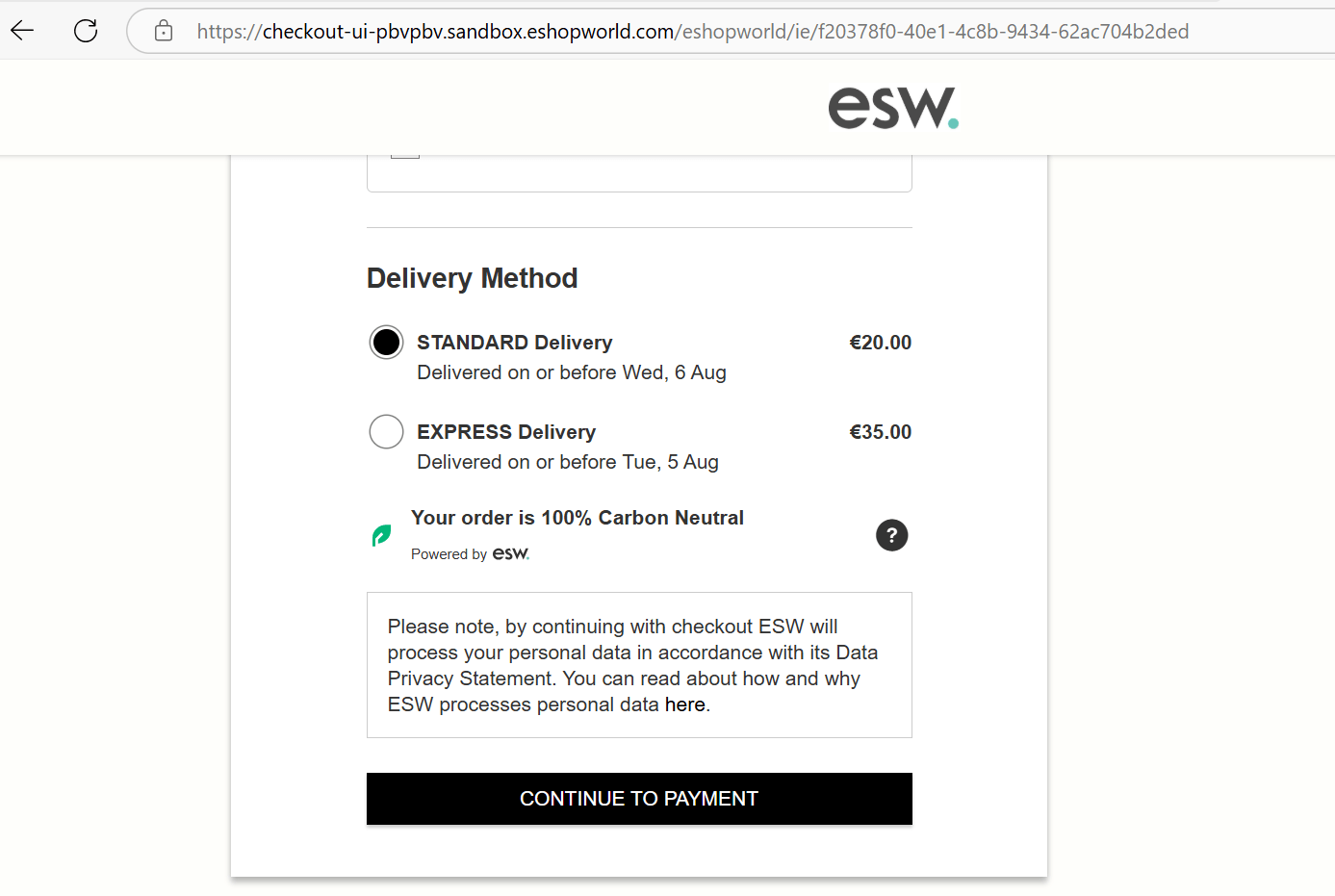
Shipping methods displayed at the checkout
Review the Go-Live Checklist
Final step is to review the Go-Live Checklist to ensure a successful launch.
Verification on the Storefront
After completing the configuration, verify the following:
Currency and Pricing
Ensure currency and pricing display correctly on:
- Product Display Page (PDP)
- Product Listing Page (PLP)
- Cart Page
ESW Storefront Components
Confirm that ESW storefront components reflect the new configuration:
- Header
- Footer
- Country Selector widget
Once pricing data is converted and supported countries are selected, the storefront is ready for validation.