Self Hosted Order Confirmation Page
The ESW cartridge supports self-hosted order confirmation, allowing retailers to choose where shoppers are redirected after a successful ESW checkout.
The ESW cartridge supports self-hosted order confirmation, allowing retailers to choose where shoppers are redirected after a successful ESW checkout.
In Salesforce Commerce Cloud (SFCC), retailers can configure either a custom path on their storefront or an external URL as the order confirmation page.
Feature Configuration
Follow the steps below to enable and configure the self-hosted order confirmation page.
- Go to Merchant Tools → Site Preferences → Custom Preferences
- Select the ESW Checkout Configuration preference group
- Locate the custom preference ESW Enable Order Confirmation Success Page
- Set the value to:
- Yes — to enable the feature
- No — to disable the feature
- Set ESW Order Confirmation Success URL to one of the following:
URL Configuration Options
A. Controller or Route Path
Examples:
EShopWorld-OrderConfirmcheckout/confirmation
B. Absolute URL
Example:
https://orderconfirmurl.com
C. Empty Value (Default Behaviour)
If left empty, the ESW cartridge automatically generates the confirmation URL based on the storefront type:
SFRA
SiteGenesis (SG)
PWA
Note:
Ensure the PWA storefront URL is configured in:
Merchant Tools → Site Preferences → Custom Site Preference Groups → ESW PWA Integration Configuration
Headless
Note:
Ensure the headless storefront URL is configured in:
Merchant Tools → Site Preferences → Custom Site Preference Groups → ESW Headless Integration Configuration
.png&w=1536&q=100)
Important Behaviour
The query string below is automatically appended to the configured URL:
You do not need to include this manually in the configuration.
Testing
Follow these steps to validate the configuration:
- Enable the feature in Business Manager: a. Go to Merchant Tools → Site Preferences → Custom Preferences b. Open the ESW Checkout Configuration preference group c. Find Enable Order Confirmation Success Page d. Set it to Yes
.png&w=1536&q=100)
- Open the storefront and select one of the ESW-supported countries
- Add any product to the basket
- Proceed to the ESW checkout
- Enter a delivery address and continue to payment
- Enter payment details and click Pay
- You will be redirected to the self-hosted order confirmation page
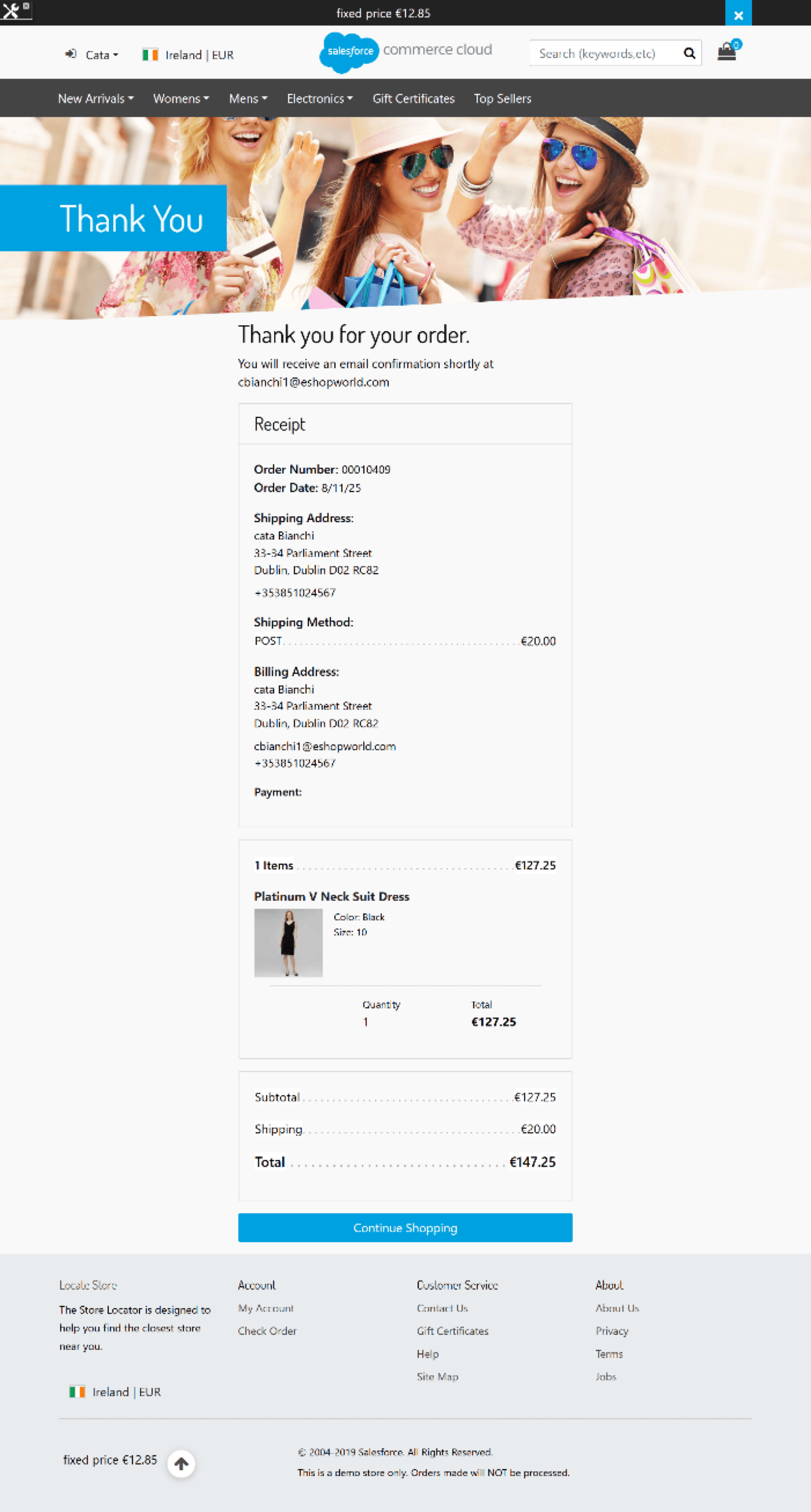
Self-Hosted Order Confirmation Page – Guest Shopper
After a successful ESW checkout, guest shoppers are redirected to the configured confirmation page displaying:
- Order confirmation message
- Order number and order date
- Shipping and billing addresses
- Shipping method and cost
- Payment summary
- Item details and totals
- Continue Shopping option
Self-Hosted Order Confirmation Page – Registered Shopper
For registered shoppers, the confirmation page includes the same order details as guest checkout, with additional account-related context such as:
- Registered email address
- Account-linked order information
- Persistent order history access
.png&w=1536&q=100)
Order confirmation page