

Customer Account Order History Integration
Map order attributes with out-of-the-box customer account order history attributes.
Enable shoppers to see accurate ESW order details in their account history. The ESW SFCC cartridge maps ESW order attributes to SFCC’s out-of-the-box order history fields, enhancing the shopper experience while minimizing retailer integration effort.
Enabling the Feature
To enable this functionality:
Enable Order Detail Functionality
- Navigate to
Merchant Tools → Site Preferences → Custom Preferences → ESW Retailer Display Configuration
Set Preference
- Set the following preference ESW Enable Order Detail =
Yes
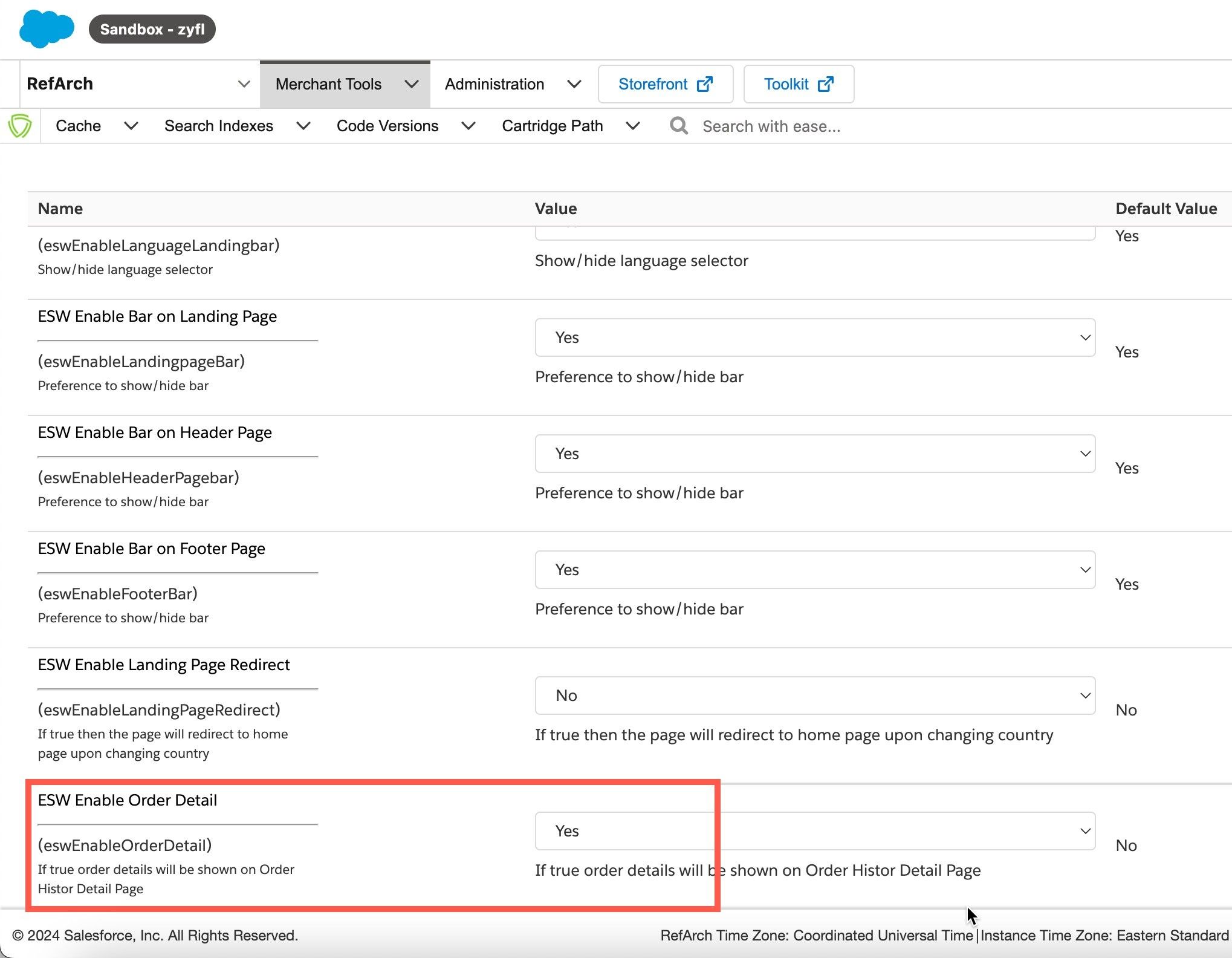
ESW Enable Order Detail
Value of the property set to
YesThis enables ESW-specific order details to be shown on the storefront’s order confirmation and order history pages.
What Information Can Shoppers View?
When this feature is enabled, shoppers can view the following ESW-enhanced order details on their Order History page:
- Tracking URL: Directs the shopper to the order tracking page.
- Payment Method: Displays the payment method used for the order.
- Order Total: Shows the final order total based on ESW's pricing calculations.