Split Payment Integration
Split payment functionality, enabling shoppers to pay using multiple payment methods
The ESW cartridges support split payment functionality, enabling shoppers to pay using multiple payment methods—for example, combining credit cards and gift cards within the same order.
Key Details
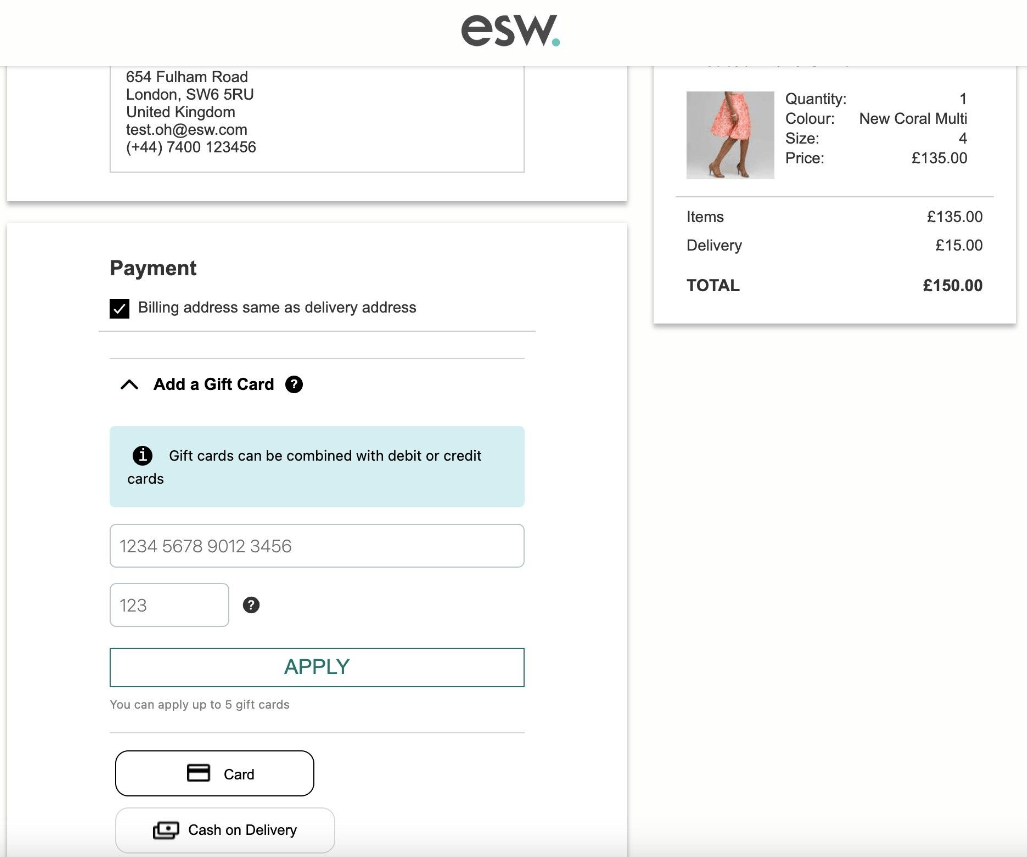
- Gift Card Support: Gift cards appear as an available payment option during the checkout process.
- Order Confirmation Handling: After a successful order placement, the order confirmation webhook sends payment details to SFCC, ensuring accurate record-keeping.
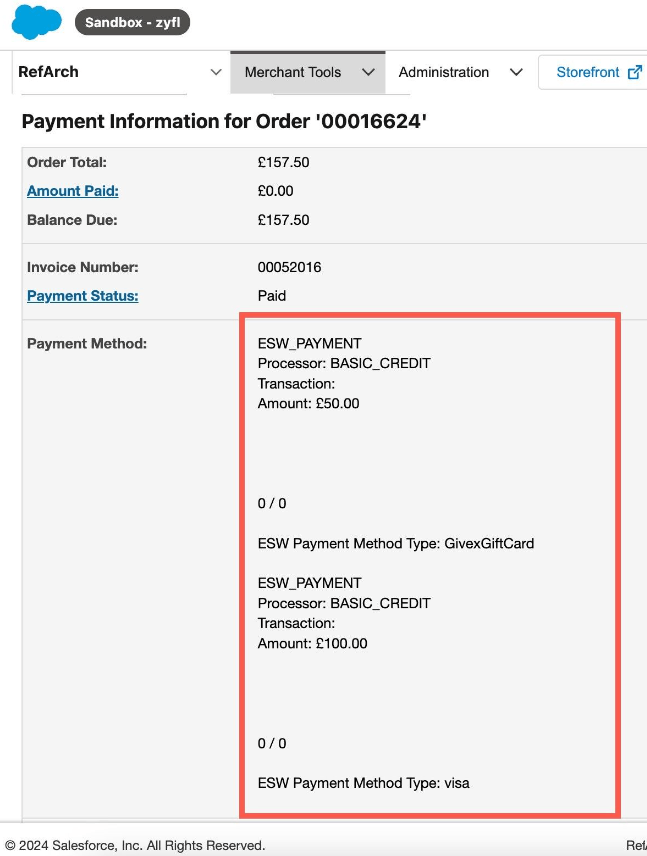
- Payment Tracking in SFCC: All payment instruments used (e.g., partial gift card + credit card) are stored and can be viewed in the Order’s Payment section within Business Manager.
The Split Payment feature must be enabled in the ESW Service Portal for shoppers to access the Gift Card payment option on the checkout payment panel. Please contact your ESW representative to confirm that this feature is activated for your store.
Testing Split Payments
To test the Split Payment functionality in a sandbox environment, you must include a gift card as one of the payment methods during checkout.
Test Gift Cards
For testing purposes, you can use the sample gift cards provided in the Documentation – Test Your Integration
Post-Order Verification
Once the order is successfully placed:
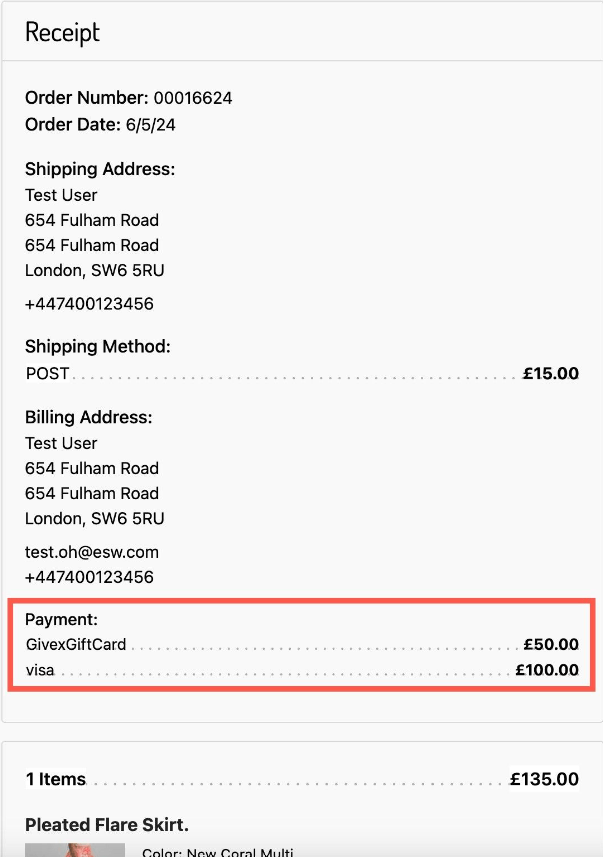
- Shopper’s Order Details Page: The shopper will see two payment methods listed for the order.
- Business Manager (Payments Tab): In SFCC Business Manager, under the order’s Payments tab, both payment instruments (e.g., Gift Card + Credit Card) will be displayed and recorded for the order.