

Order Confirmation Integration
Display order confirmation page
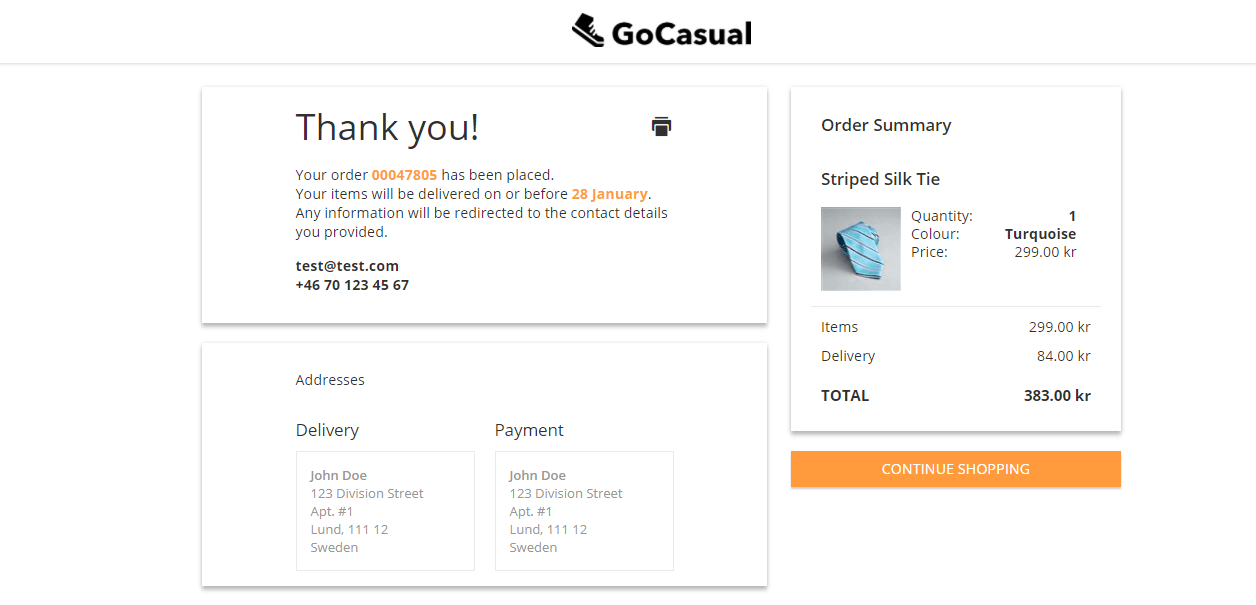
After an order is successfully placed, shoppers are redirected to the Order Confirmation page.
This page displays:
- The list of items purchased
- The total amount paid
- The delivery address
- The payment address
This confirmation provides shoppers with a clear summary of their completed order.
Order Confirmation Request from ESW to SFCC
When an order is successfully placed, the ESW console sends an order confirmation request to SFCC.
- Validation: SFCC validates the request and applies the selected shipping method to the order.
- Error Handling: If the request is invalid or an error occurs, SFCC returns an error response to the ESW console, and the order is marked as failed.
Endpoint Details
- For SFRA and SiteGenesis (SG) implementations, the endpoint used is:
EShopWorld-Notify - To change this endpoint:
Go to Business Manager → ESW Checkout Configuration → ESW Metadata Itemscustom preference and update the endpoint value as needed.
The OrderConfirmationUri_TestOnly|EShopWorld-Notify and OrderConfirmationBase64EncodedAuth_TestOnly|1parameters are required for the Sandbox environments only.
Inventory Check Validation in SFCC
When the Enable ESW Inventory Check preference is enabled in the checkout configuration, SFCC performs an inventory validation during the order confirmation webhook—before the order is fully placed.
✅ If Inventory is Available:
- All line items pass the inventory check.
- The order is placed successfully.
- The Order Confirmation page is displayed on the ESW Checkout.
❌ If Inventory is Unavailable:
- One or more line items fail the inventory check.
- The order status is set to “Fail”.
- The shopper is redirected to the Cart or Checkout page (based on configuration).
- An inventory error message is displayed to notify the shopper.
Order Confirmation in SFCC Business Manager
Once an order is placed, ESW Checkout sends a callback to the SFCC instance, updating the order details:
- Additional order information is written to the custom attributes of System Objects:
- Order
- Product Line Item
- If the incoming request is valid, SFCC:
- Updates the order statuses accordingly.
- Ensures that all related order information is properly synchronized in Business Manager.
The detailed item information is also available in the SFCC Business Manager (SFCC Administration) For more infomation, refer to Order Confirmation Attributes