

Returns and Exchanges App
Install the Returns and Exchanges App.
.webp&w=1536&q=100)
Returns and Exchanges App provides a localized, self-service returns experience for international shoppers through the ESW Returns Portal.
- Improved Customer Experience: Shoppers can easily initiate returns through a branded, localized portal.
- Return Logistics Simplified: ESW handles return routing and customs declarations, reducing operational overhead.
- Duty & Tax Automation: Ensures accurate processing of return-related tax declarations, reducing compliance burdens.
Standalone App
Installation
Follow these steps to install the GRP Returns App:
Install link
Click the Shopify App Store link to install the ESW Returns and Exchanges app.
Link to be provided by ESW.
Install app
Run the installation on the myshopify.com subdomain.
The installation screen will appear as shown below. click Install app to proceed.
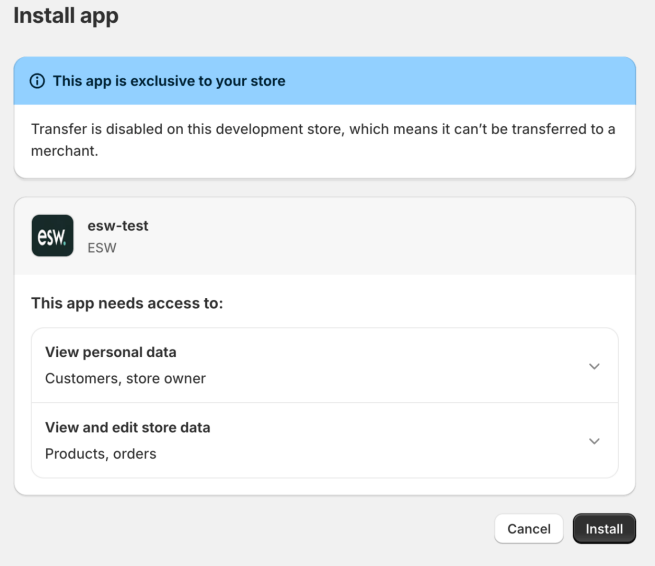
Click Install to proceed.
Contact ESW onboarding manager
Once the app is successfully installed, the following screen will appear. At this stage, please contact the Onboarding Manager to configure the account, environment, and tenant for your brand.
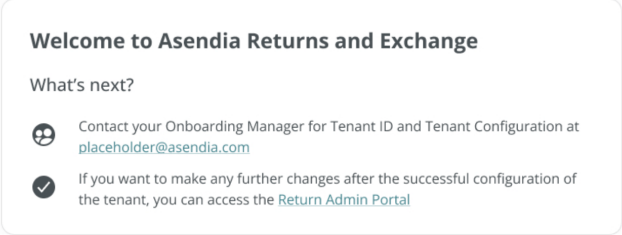
Confirmation screen
Once the tenant has been successfully configured, the following screen will be displayed. You will be notified by ESW once the configuration is complete.
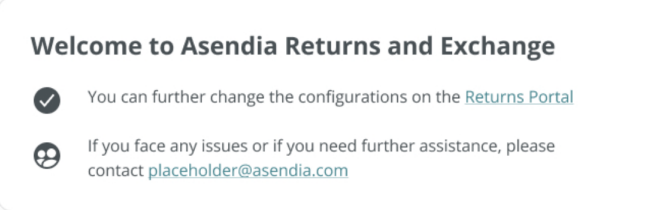
Update brand configuration settings
Once account, environment and tenant have been setup. Update brand configuration settings on ESP
Find the ESP link here.
View installation in your Shopify admin
To view the installation, navigate to your Shopify admin, click Apps