

Product Pricing
Manage products Pricing
Managing Product Pricing
You can manage how prices are displayed in your storefront using one of the following options:
- Use ESW Pricing Advisor: Automatically display ESW Duty & Tax (D&T) inclusive prices across product pages for landed cost pricing.
- Set Fixed Prices in Shopify: Manually configure fixed product prices for each market directly within Shopify.
Managing Exchange Rates in Shopify
Shopify enables you to sell in multiple currencies by managing exchange rates through automatic or manual conversions.
Automatic Exchange Rate Conversions
Automatic Product Price Conversion
Product prices are automatically converted into the shopper’s local currency based on real-time market exchange rates.
Converted Prices
Converted prices include:
- Currency conversion fees
- Rounding rules (if configured)
Order Fulfillment
When fulfilling orders:
- Prices are converted back to your store’s base currency.
- Slight price differences may occur due to exchange rate fluctuations.
Manual Exchange Rate Conversions
With manual exchange rates, you can stabilize pricing and avoid market fluctuations by setting fixed rates for each market.
- Manual rates can be set for all markets except your primary market.
- Rates are based on your store’s base currency and can include the conversion fee.
- Manual rates apply only to products without international fixed prices.
- You can combine manual exchange rates with price adjustments to fine-tune pricing for each market.
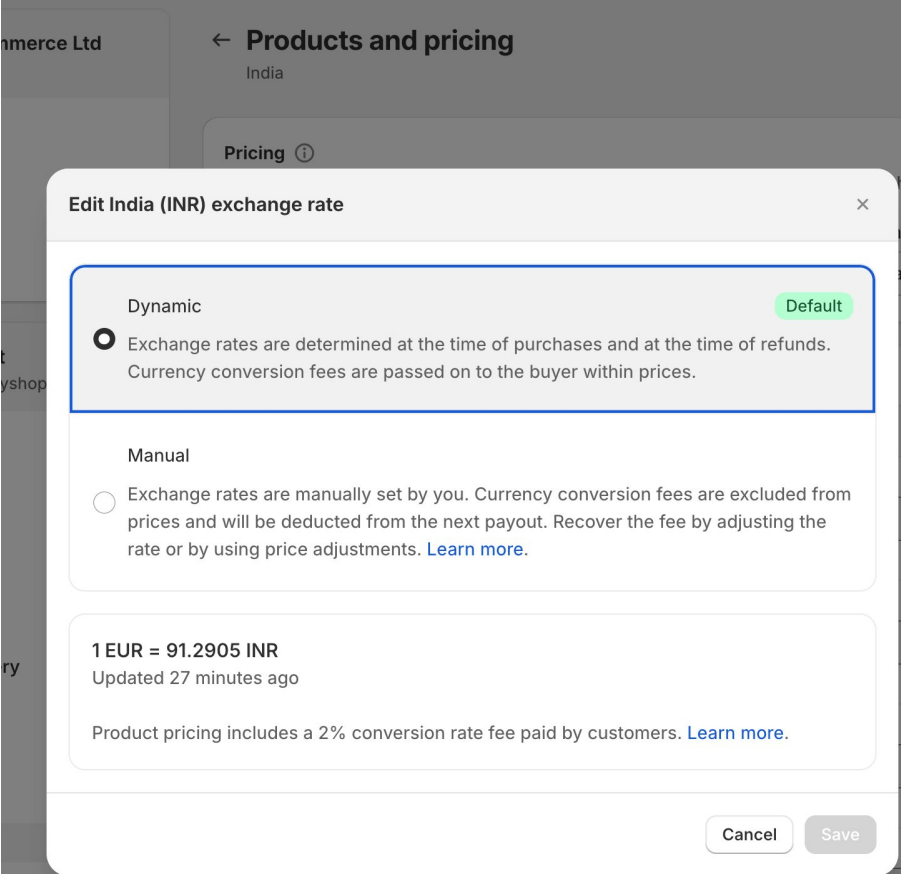
Display products Pricing
Activate a manual exchange rate
Follow these steps to activate a manual exchange rate:
Access Markets
- From your Shopify Admin, navigate to Settings → Markets
Select Market
- Click on the market where you want to add a manual exchange rate.
Manage Exchange Rate
- Go to Products and Pricing → Manage Exchange Rate
Set Manual Exchange Rate
- Select Manual.
- Enter the desired exchange rate.
- Click Save to apply the manual rate.
Important Notes
- Switching back to Automatic Rates or changing the base currency:
- Deactivates the manual rates but does not delete them.
- Manual rates can be reactivated later if needed.
Using manual exchange rates allows precise control of pricing across different currencies and markets
::