

ESW Shopify Apps
Install ESW Shopify apps
Important
- The integration of the ESW Shopify Apps requires that you install, enable, and configure **both**, the International App and the Payments App for the solution to be functional.
- Note that these applications are interdependent.
- These Apps cannot be implemented or used separately.
Install these apps to enable the ESW Shopify integration.
International App

The International App enables international expansion by localizing pricing, managing orders, and handling logistics from the Shopify store to ESW-supported markets.
- Seamless Global Reach: Calculates international prices with duties and taxes included, improving transparency for global shoppers.
- Efficient Order Handling: Orders are ingested directly into ESW systems, streamlining fulfillment.
- Simplified Logistics: ESW’s forward shipping service, reducing complexity for cross-border delivery.
- Compliance Support: Duty and tax declarations for compliance.
Installation
Follow these steps to install the International App:
Install link
Click on the Install Link
Link to be provided by ESW
Install app
Run the installation on the myshopify subdomain.
Click Install
Contact ESW onboarding manager
After the app is successfully installed, the following screen will appear. Please contact the Onboarding Manager to proceed with the configuration of your account, environment, and tenant for your brand.
Confirmation screen
Once the tenant has been successfully configured, the following screen will appear within the app. You will be notified by ESW upon successful completion of the tenant configuration.
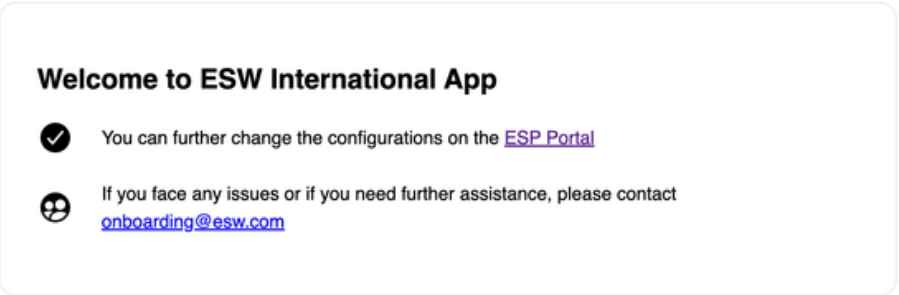
Update brand configuration settings
Once the account, environment, and tenant have been set up, the brand configuration settings can be accessed and updated via the ESP link.
Find the ESP link here.
View installation in your Shopify admin
In your Shopify admin, click Apps to view the installed application.
Payments App
.webp&w=1536&q=100)
Works with ESW Shopify International App.
ESW offers a powerful global payment solution that localises options for shoppers, making every purchase feel local. The Payments App aggregates top payment methods into one app and uses local acquiring to maximise payment success rates and dynamic routing to show the most relevant options per shopper.
- Localised payment methods tailored to each market.
- Processes payments locally to improve success rates.
- Flexible business models including Merchant of Record.
- Secure, compliant payment processing with fraud protection.
- Optimised checkout displays the highest-converting payment options.
Installation
Follow these steps to install the Payments App:
Install link
Find the install link here.
Install app
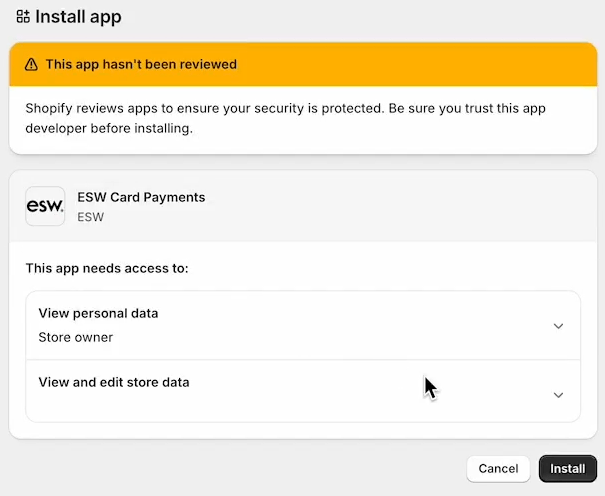
Click Install at the bottom of the installation screen.
Contact ESW onboarding manager
Once the app is successfully installed, contact ESW onboarding manager to configure your account, environment, and tenant for your brand.
Confirmation screen
The app communicates readiness with Shopify. You will get a confirmation screen once the tenant has been successfully configured
Activate app
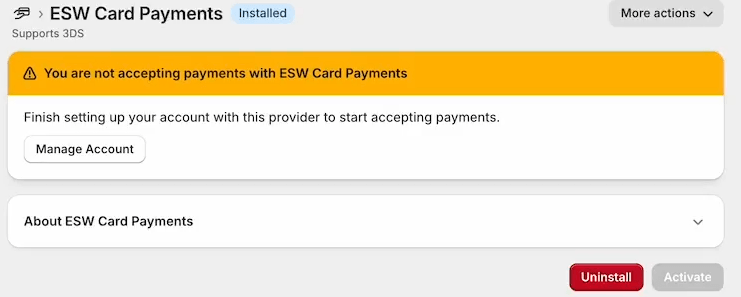
Click Activate