

Create a New Market
Create a new market in your Shopify store.
To tailor your store for customers in a particular country or region, add a new market from the Markets page in your Shopify admin. When you add a new market, Shopify may suggest recommended markets based on stores similar to yours. These recommendations highlight countries or regions where you are likely to find success, using data from merchants with the same primary market.
Create a Market
If your new market does not have a parent market, it will be created with your store’s default settings and no customizations. If you assign a parent market, the new market will automatically inherit the customizations from the parent market.
To create a market in Shopify, follow these steps:
Access Markets
- From your Shopify Admin, navigate to Markets.
- Click Create market
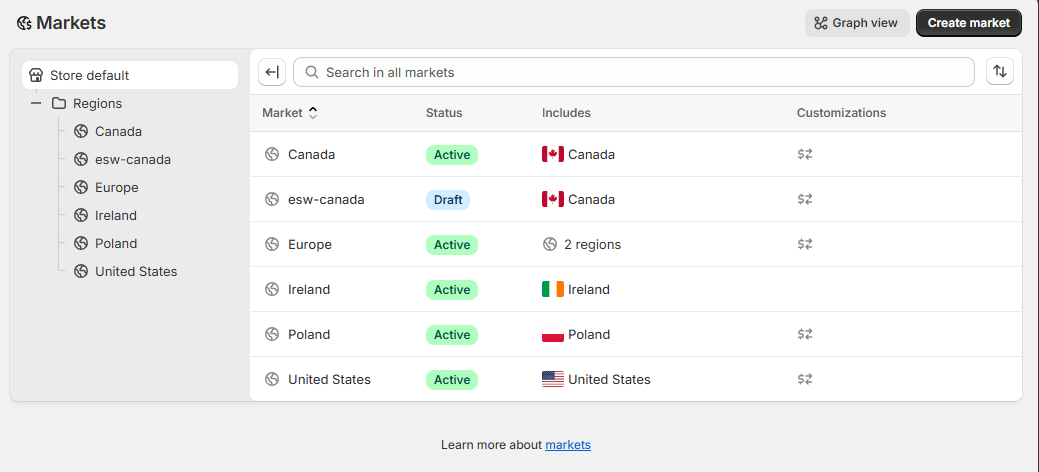
Enter Market Name
- In the Name section, enter a name for your new market.
(This name is for internal reference and not shown to customers.)
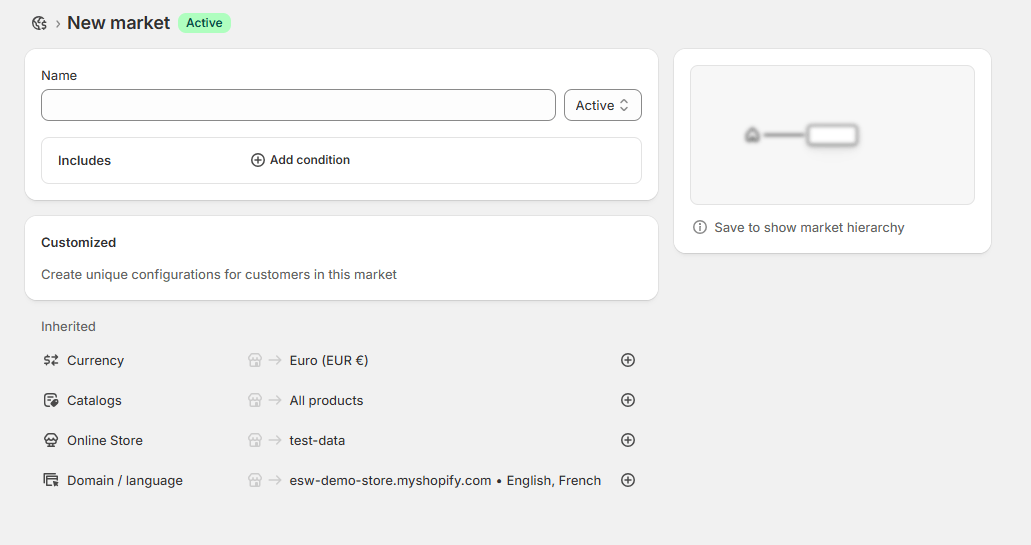
Select Publishing Status
- Choose the publishing status:
- Active: Display the market immediately to customers.
- Draft: Preview the market before making it live.
Define Market Conditions
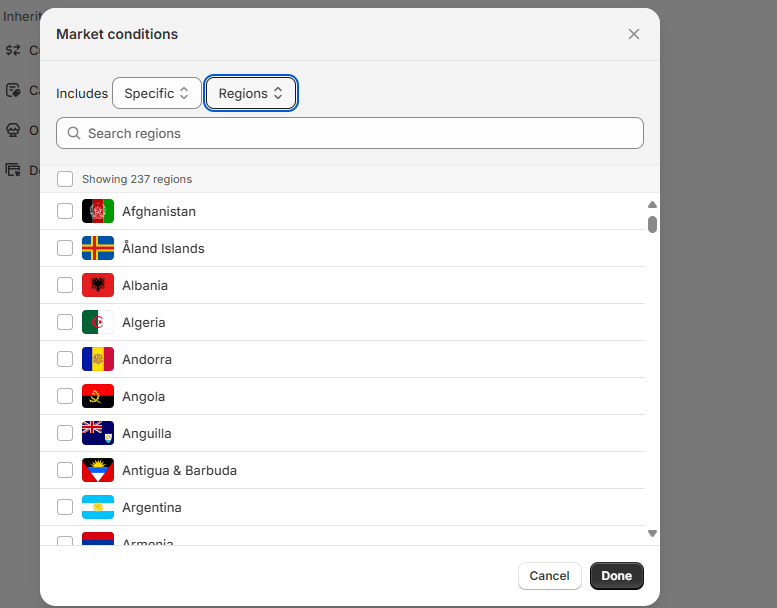
- In the Includes section:
- Click Add Condition.
- Specify which customers the market should apply to, such as:
- A specific region
- A company location (for B2B)
- Click Done
Review and Customize Settings
- Review inherited settings from your store defaults or parent market.
- Optionally customize:
- Currency
- Catalogs
- Online Store
- Domain / Language
Save the Market

- Click Save
You can preview the shopper experience for any added languages to ensure proper localization before publishing.