

Add Legal Messaging
Add the ESW Privacy Notice to the checkout page in your Shopify store.
To comply with legal requirements, you must add the ESW Privacy Notice to your Shopify checkout page. This ensures that shoppers are informed about how their data is handled during the checkout process. The legal messaging is designed to integrate the ESW Privacy Notice into your Shopify store's checkout page. This messaging is essential for compliance with legal requirements.
Requirements
- Install the International App and Payments App.
- The privacy notice can be added to your Shopify checkout page at any stage after installing the International App and Payments App.
- The ESW Privacy Notice must be added before go-live.
Legal Messaging
To add the ESW Privacy Notice to your Shopify checkout page, follow these steps:
Access Checkout Settings
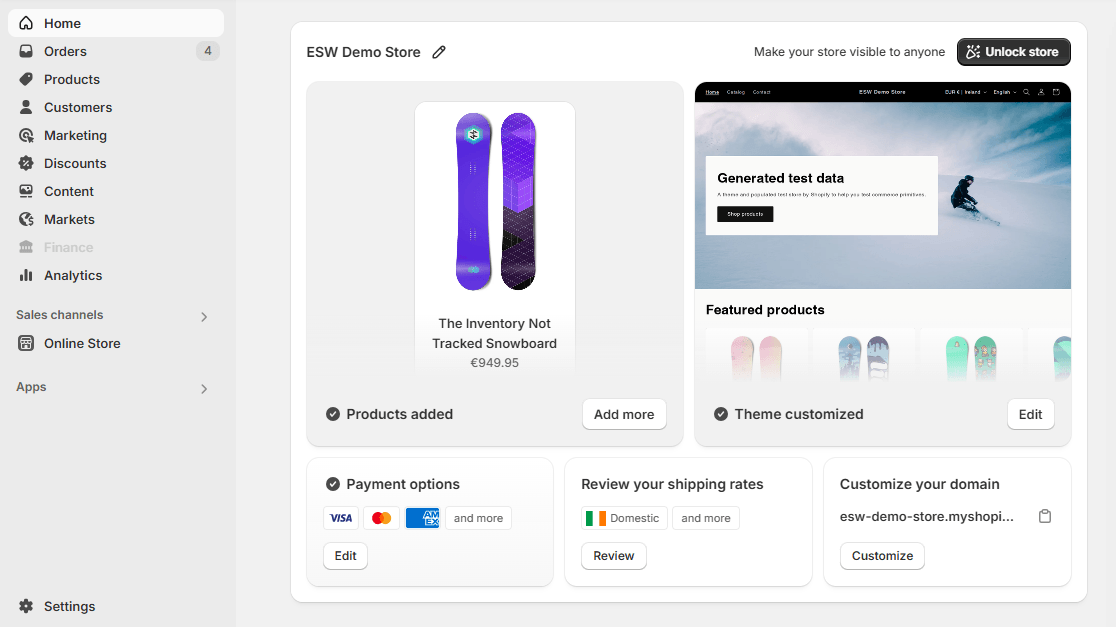
- Access Shopify Admin.
- From the left panel, navigate to Settings → Checkout
Navigate to Configuration
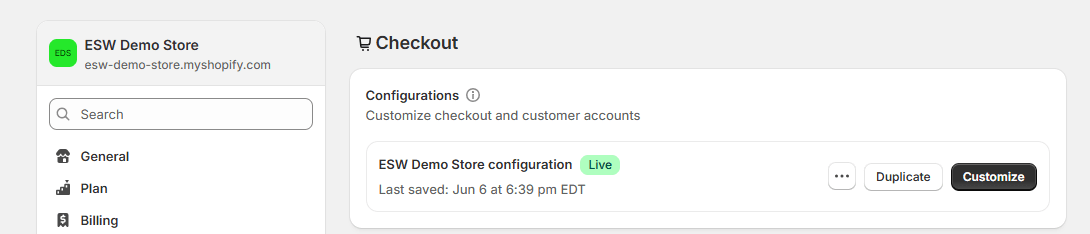
- From the checkout Configurations section:
- Click Customize
Add Block
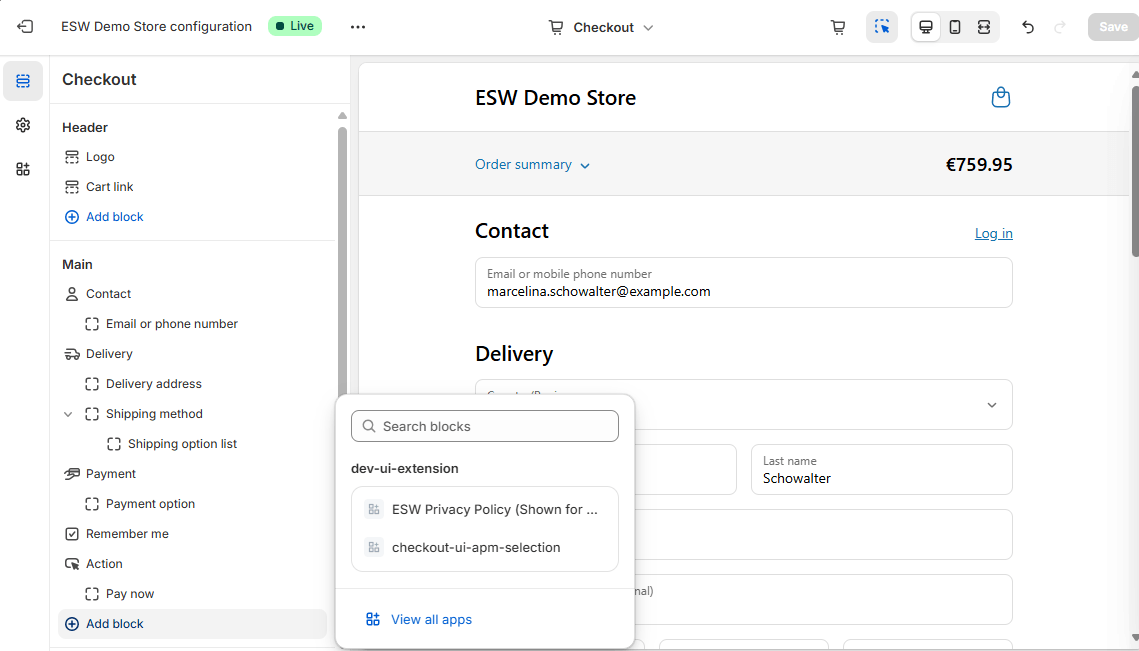
- In the Checkout Sidebar, click Add block.
- Select the block you want to add:
ESW Privacy Policy
Save Changes

- Click Save at the top of the screen to publish the updated checkout layout.
Checkout Blocks let you add custom content to your checkout page without editing theme code.